Creative UX/UI solution for Donate a Computer
Prior to winning the first client project at the Brainster Academy, they interviewed us and we answered a couple of questions regarding the process, discussing our approach, design strategies, and how we planned to meet the client's needs.

Feb 15, 2022
·
6
min read
The students from the UX/UI Design Academy faced a new challenge—working on a real project for an actual client, where they applied all the newly acquired knowledge and skills from their classes.
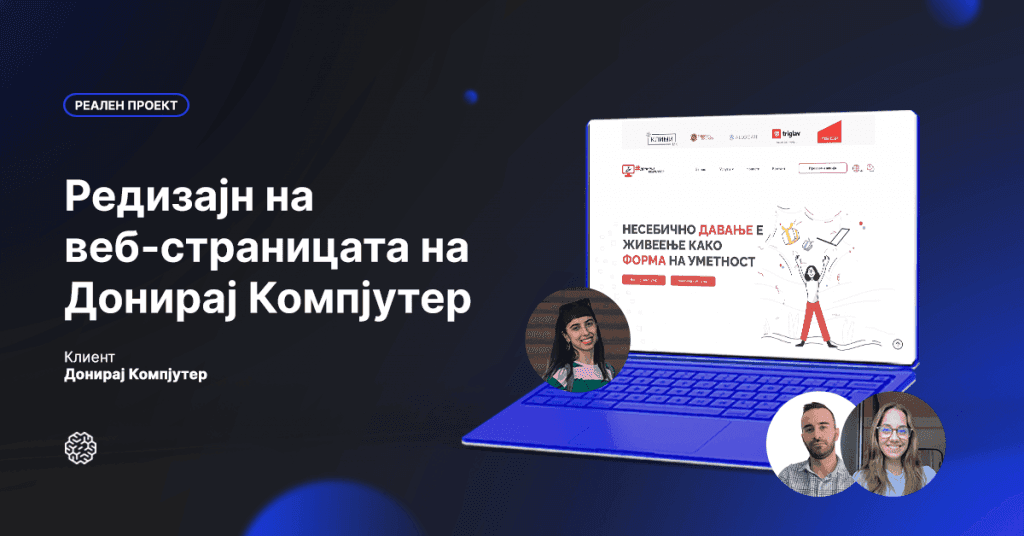
Their task was to redesign the website for "Donate a Computer" and present their final solutions to the client.
"Donate a Computer" is a nonprofit, non-governmental organization with the goal of ensuring that every family in Macedonia has at least one computer, as a computer is a necessary tool for learning, not a luxury. For over six years, they have been donating used computers across Macedonia, providing more than 1,500 families with access to one.
The students presented numerous creative solutions, but after the presentation to our client, the winning solution was selected—created by Eva Ristova, Martin Despotoski, Tijana Cresenzi, and Kristina Jovanova.
Following this, we had a conversation with the students from the UX/UI Design Academy about their experience working on this real project.
Hello, team! You are some of the most active students at the UX/UI Design Academy, showing great interest in UX design and not missing a chance to participate in projects. Please introduce yourselves briefly!
Eva: I'm Eva, an interior designer with a love for books, art, and constant self-improvement. This experience allowed me to explore my hidden talents and realize how fulfilling this profession is for me.
Tijana: I'm Tijana, a big enthusiast for languages, literature, and design. I love nature, good company, and good music. With a background as a graduate in French language and literature, I decided to expand my skills in this field.
Martin: I'm Martin, a Potterhead, adventurer, and photography lover. After several years, I got the opportunity to learn what I had long aimed for—UX/UI design, with the goal of a career change to a profession that fulfills me.
Kristina: Hi, I'm Kristina, a creative soul for as long as I can remember. Throughout my career, I've had the chance to work on various tasks. My experience has convinced me that UI/UX is the right profession for me, combining creativity with analytical thinking.
Tell us more about your final solution. What was the idea behind this project, and what was the process to reach the final result?
Eva: The goal of this project was to redesign the "Donate a Computer" website. They wanted a user-friendly page that would meet the needs of their mission. The ultimate goal was to attract as many users as possible, making it easier for everyone to participate in this humanitarian cause. The process, from start to finish, was a journey; along the way, we kept learning new things and working on a real project. At the beginning, we got to know each other as a team, but by the end, we realized we were a dream team together. Surprisingly, the process flowed easily; we knew exactly what we wanted and, like every UX process, we started with research and analysis and ended with designing the look and functionality.
How did the collaboration go, and what were the client's requirements?
Eva: The client wanted features that the site didn't have before—new elements to attract more people to learn about their mission, a blog to share their achievements, challenges, and stories, as well as a way for people to get involved with the organization. One major goal was to create a central place for communication, as this was a significant obstacle for them.
Marketing was also a key focus, promoting the organization, the people, and the companies who donate, as well as international supporters who help further the mission. But the main goal was to make the website clear and simple for those who need a computer or wish to donate one. They wanted a clear, easy application form and enough information for any visitor to understand the value of "Donate a Computer." It needed to appeal to all ages, be simple and functional for people with varying levels of computer skills.
Our teamwork was seamless—we complemented each other; if one of us didn’t know something, another did, and vice versa. We were still new to this and this was our first real project, but as everyone says, the best way to learn is through hands-on experience. We worked diligently and carefully, putting in maximum effort with the great support of our mentor, Aleksandar.
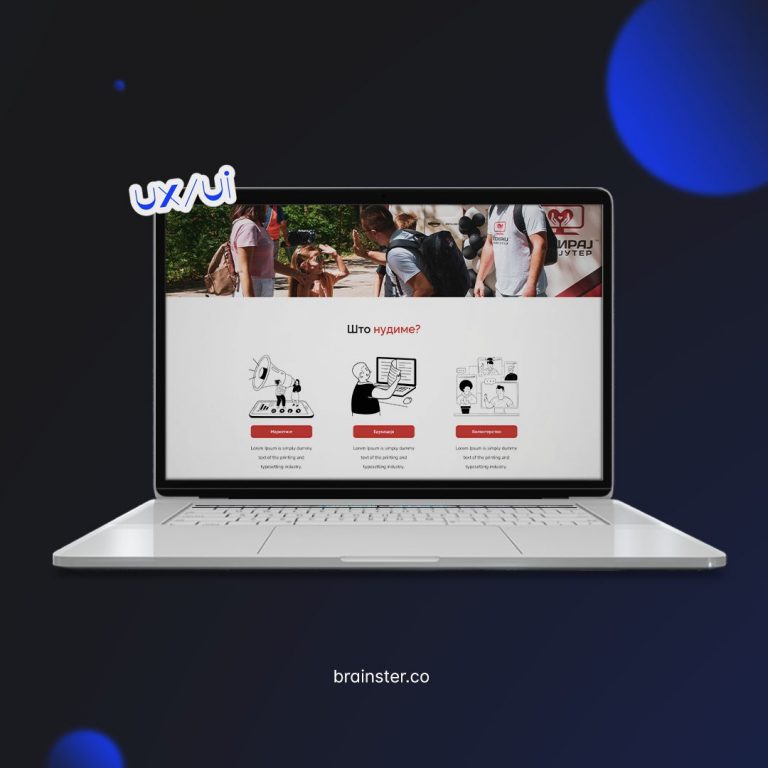
Where did you draw inspiration for the overall UX/UI of "Donate a Computer"?
Tijana: Most of our inspiration and ideas for the project came from talking with each other since we worked together as a team for almost the entire project duration. We constantly discussed the process, which included initial research, concept development, and finally, the design. We aimed to stick to well-known UX and UI practices and guidelines, which are often essential for creating a functional and effective solution. During the research phase, we also analyzed competitors working in similar fields, giving us a clearer picture of the essential functionalities our project should have.
What techniques, tools, and methods were used for this project?
Tijana: From the very beginning, we followed the Design Thinking process, using various techniques and methods that guided us from start to finish. We needed a lot of information from the client and potential users for our design solution, so we conducted interviews with them. Then, we examined what the market offered by analyzing competitors and reviewing the client's existing design.
All this information was used for the project goals, and as we processed the data, we generated ideas for new functionalities and gradually shaped the concept for the new design. The design, from sketches to the final product, was done in Figma. Other methods we used throughout the process included creating site maps, user personas, user flows, and user journeys to get as close as possible to the user's perspective.
How did you handle challenges, deadlines, and still create a functional solution?
Martin: I believe the key was motivation, excellent teamwork, and applying the material we had studied up until then. Even though some of us had standard 9-to-5 jobs, every free moment was used to work on the project, and we often worked late into the night. Great communication within the team, analyzing everyone’s work individually, providing constructive criticism, and maintaining a positive atmosphere with a lot of fun were the keys to our success.
What did you learn from this collaboration?
Martin: For a project to be successful, empathy toward the clients is essential to understand the business needs and the users who will use the product. By applying design processes and principles, we arrived at an appropriate solution. This project laid an excellent foundation for future challenges and strengthened our team collaboration and friendships.
Did the UX/UI Academy prepare you well to start your career as UX/UI designers?
Kristina: The practical application of knowledge on real projects, collaborating with clients, interacting with mentors, and teamwork gives me a sense of readiness to start my career as a UX/UI designer.
Finally, how does working on real projects impact your knowledge and skills?
Kristina: Working on real projects is crucial and decisive for me, which is why I chose the Brainster Academy. Collaboration with colleagues is also essential for motivation and progress. Each team member has unique talents and skills, and such collaboration is the best way to learn something new and different. Working on a real project brings motivation and inspiration to the highest level, allowing each of us to give our best.
—————————————————————
[article originally in Macedonian]
➡️ Check out the original article published on Brainster blog.
Let's get the work done!
No spam, unsubscribe at any time